edjing Mix - Music DJ app
MWM - AI Music and Creative AppsMusic & Audio
4.654.44K Reviews
- Version
- 7.41.00
- Installs
- 100.00M
- Age Rating
- Everyone
Screenshots
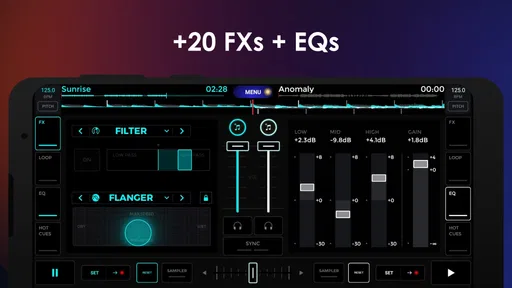
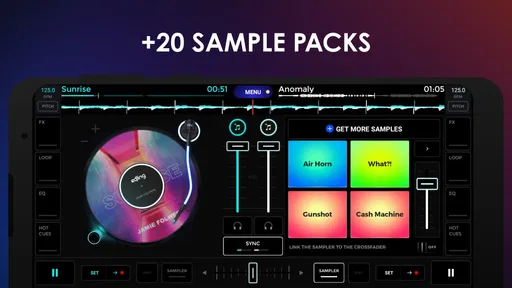
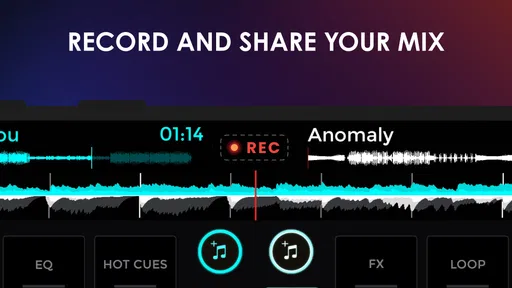
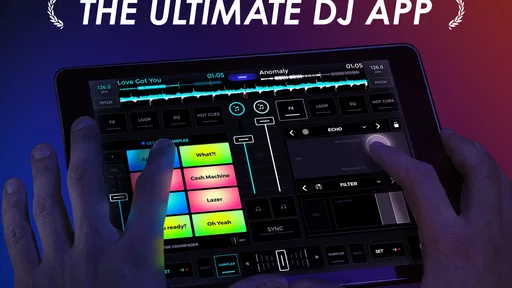
Our Review of edjing Mix - Music DJ app
 Analysis by Appyee
I find a phone DJ app most useful when it helps me turn a loose idea into a repeatable little routine, rather than pretending a touchscreen is the same as a booth full of hardware. edjing Mix gives me a place to practise that routine: cue a track, listen ahead, shape a transition, and decide whether the result works. It is a free music and audio app from MWM - AI Music and Creative Apps, and its approachable layout makes experimenting feel less intimidating than starting with a full desktop setup.
A simple workflow that teaches timing
My basic session starts with two tracks I know well, not a random playlist. I load one on each virtual deck, let the first play, and use pre-cueing to check the second before bringing it into the mix. That small habit matters: it gives me time to notice whether the incoming song’s opening is suitable and whether I want to wait for a vocal or a stronger beat before transitioning.
From there, I use the crossfader for the broad handoff and keep the change gradual enough to hear what is happening. Sync can help align track tempos, but I treat it as a starting point rather than a substitute for listening. If the tracks still feel awkward together, I try a different point in one of them or choose another pairing. A visible alignment is useful; a convincing transition also depends on phrasing and energy.
That approach makes the app helpful for learning the shape of a mix without needing to commit to a long set. I can practise one transition, listen back to the idea in my head, and adjust it. For a beginner, the two-deck layout makes the basic relationship between the playing track and the next one easy to understand. For someone with experience, it is a convenient sketchpad for testing combinations away from dedicated equipment.
Settings and small habits worth checking
Before trying a complicated effect, I would spend a few minutes learning where the key controls sit on the screen and checking how the app behaves with the music I actually plan to use. Touch controls are easy to tap accidentally when I am moving quickly, so I prefer a deliberate sequence: prepare the incoming track, listen through pre-cueing, then make one change at a time. It is a simple way to avoid turning a transition into a flurry of unrelated taps.
Headphones make the pre-cueing workflow much more useful because I can judge the next track without relying only on what is already playing out loud. I also keep the first practice session short. A few careful transitions reveal more about the interface than loading a large collection and trying to improvise immediately. Once I know where the crossfader, loops, effects and sync control are, I can use them with more intention instead of hunting around mid-mix.
There is a useful trade-off in the app’s accessibility: the controls invite quick experimentation, but a phone screen cannot offer the physical separation and tactile certainty of DJ hardware. I therefore avoid making a string of fine adjustments while concentrating on another task. For practice at home, that is manageable; for a performance where every move has to be dependable, I would rehearse the exact setup and transitions beforehand.
Faster patterns without rushing
Once the basic handoff feels comfortable, I get more out of the sampler and looping by giving each one a specific job. A loop can hold a rhythmic section while I prepare the next track, but repeating a phrase for too long can make the mix feel stuck. I use it as a brief bridge, then move on when the new track is ready. Similarly, a sample or sound effect is most effective when it supports a transition rather than simply filling every quiet moment.
Effects reward restraint. Echo, flanger and reverb can make a change more expressive, but they can also blur a track if I pile them on without listening to the result. My practical rule is to add one effect, hear how it changes the sound, and remove it if it competes with the beat or vocals. This is a better learning exercise than cycling through effects just because they are available.
A repeatable practice routine helps more than trying to create a polished set in one sitting. I pick two compatible songs, decide where I want the second to enter, practise the handoff, and then try the same transition with a different point of entry. That reveals whether I understand the tracks or have simply stumbled into one lucky blend. It also gives me a concrete way to improve without needing to master every control at once.
Where it fits among DJ options
Compared with a conventional music player, edjing Mix is built around manipulating two tracks rather than just choosing what plays next. That makes it more engaging for people who want to shape a transition, try a loop or add an effect. Compared with a desktop DJ program or a physical controller, it is easier to pick up for a quick experiment, but the touchscreen is less precise and offers less room for hands-on control. I see it as a practical middle ground: more interactive than ordinary playback, less demanding than assembling a dedicated DJ setup.
It is especially suited to curious listeners, new DJs practising timing, and people who want to prepare a casual mix without carrying extra equipment. A realistic use is getting ready for a small get-together: I can test a handful of familiar tracks at home, find transitions that suit the mood, and practise the order before playing anything for friends. The app is also handy for trying out an idea during a spare moment, when opening a computer would feel like too much effort.
I would steer someone toward a different option if they need the feel of jog wheels, extensive physical controls, or a more structured production environment. It is not the right fit for someone who only wants effortless background playback either; a regular music player is simpler for that. And although the interface is approachable, an enjoyable mix still takes listening and practice. The app can help with timing and experimentation, but it cannot choose the right musical moment on my behalf.
What to expect before relying on it
The app is free to install, with optional in-app purchases ranging from $0.99 to $114.99 per item, so I would explore the basic workflow before deciding whether any paid option matters to me. It is rated for Everyone. Its long presence in the category is reflected in a 4.5 average from around 1.6 million ratings, while more than 100 million installs suggest that it has reached a broad audience. Those figures are useful context, but they do not tell me whether its controls suit my own phone or mixing style.
The current version is 7.29.01, and the app has been available since November 14, 2012. I would still test it with the tracks and headphones I plan to use rather than assuming every personal setup will feel identical. If I am preparing for a particular occasion, I would practise the transitions in advance and keep a simpler fallback playlist ready. That is not a flaw unique to this app; it is sensible preparation whenever music playback is part of a live moment.
One question beginners often have is whether sync means they can skip learning timing. I would not rely on it that way. It can make matching tempos easier, but I still need to listen for a natural entry and a clean phrase change. Another practical question is whether effects are essential. They are not: a well-chosen crossfade can be more satisfying than an overloaded transition, and the effects make more sense after the underlying handoff feels steady.
For casual use, I can get started without treating the app like professional equipment. For a more serious set, I would take time to test the exact workflow, keep my movements simple, and avoid making unfamiliar adjustments while a track is playing. That distinction sets realistic expectations: it is a capable mobile tool for practising and making mixes, not a guarantee of polished performance without preparation.
So, let’s dive into the world of DJing with edjing Mix! Whether you’re an aspiring DJ or just someone who loves to experiment with music, this app sure knows how to spin up some serious fun.
Getting Started with edjing Mix
First off, let me tell you, edjing Mix is pretty darn intuitive. When you first open the app, you’re greeted with a sleek and user-friendly interface. It’s like stepping into a virtual DJ booth. The app is available on both Android and iOS, and it’s a breeze to download.
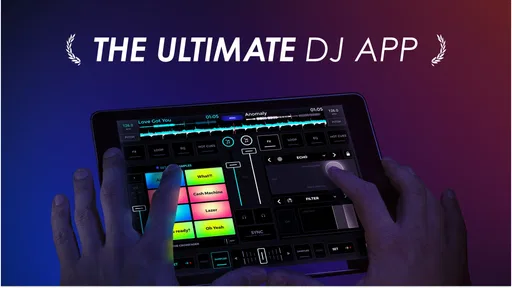
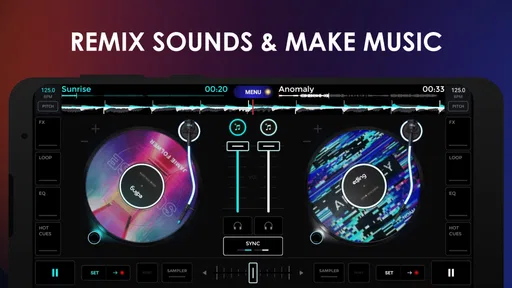
After installation, you’ll see two virtual turntables, a mixer, and a bunch of features that make you feel like you’re in a mini nightclub. The app integrates seamlessly with your music library, so you can mix your favorite tracks without a hitch. Just plug in your headphones and you’re ready to rock!
The Features That Make It Shine
Now, onto the good stuff. What can you actually do with this app? Well, quite a lot! Here’s a quick rundown:
- Crossfader: This lets you smoothly transition between tracks, making you feel like a pro DJ. It’s super responsive and perfect for creating those slick transitions.
- Looping: Want to repeat that killer beat? Looping lets you do that effortlessly. Just tap the loop button, and you’re golden.
- Effects: You have access to a variety of effects like echo, flanger, and reverb. These add an extra layer of creativity to your mixes.
- Sync: This feature automatically synchronizes the BPM of your tracks. Whether you’re a beginner or a seasoned DJ, this tool is a lifesaver.
And if you’re feeling adventurous, you can dive into the sampler and pre-cueing features. The sampler lets you trigger sound effects or samples, while pre-cueing allows you to listen to the next track before playing it live. Handy, right?
The Experience and Usability
Alright, let’s talk about the overall experience. The app is designed to be accessible, so even if you’ve never touched a turntable before, you’ll find your way around pretty easily. The controls are well laid out, and there’s a helpful tutorial that guides you through the basics.
One of the things I love about edjing Mix is its adaptability. You can use it just for fun, or take it a notch higher by using it at parties or small gigs. The sound quality is top-notch, and the app runs smoothly without any lag.
Ending on a High Note
In conclusion, edjing Mix is a powerhouse app for anyone interested in DJing. It’s packed with features, yet easy enough for beginners to pick up and play. The ability to mix tracks from your own library, along with the variety of effects and tools, makes this app a must-have for music lovers.
If you’re ready to unleash your inner DJ, this app is definitely worth checking out. So, what are you waiting for? Head over to the app store, download edjing Mix, and start crafting your own unique beats today!
Privacy and Permissions
See what permissions an app requests and how it handles your data.
- Location
- approximate location (network-based), precise location (GPS and network-based)
- Photos/Media/Files
- read the contents of your USB storage, modify or delete the contents of your USB storage
- Storage
- read the contents of your USB storage, modify or delete the contents of your USB storage
- Wi-Fi connection information
- view Wi-Fi connections
- Other
- view network connections, pair with Bluetooth devices, access Bluetooth settings, full network access, change your audio settings, run at startup, control vibration, prevent device from sleeping, Google Play license check
Verdict
Strengths of edjing Mix - Music DJ app
- Intuitive interface for quick mixing.
- Wide range of effects and samples.
- Integration with major music platforms.
- Real-time audio processing capabilities.
- Customizable sound settings for DJs.
Limitations of edjing Mix - Music DJ app
- Premium features require subscription.
- Occasional lag on older devices.
- Limited support for MIDI controllers.
- Ads can be intrusive during use.
- Requires constant internet connection.
Other Releases by MWM - AI Music and Creative Apps
View All
Beat Maker Pro - DJ Drum Pad
Music & Audio4.6

Piano - music & songs games
Music & Audio4.7

Guitar Tuner Pro: Music Tuning
Music & Audio4.3

Stemz: AI Tool for Musicians
Music & Audio4.4
Similar Picks in This Category
View All
YouTube Music
Google LLC4.4

Samsung Music
Samsung Electronics Co., Ltd.3.8

Spotify: Music and Podcasts
Spotify AB4.3

JioSaavn - Music & Podcasts
Saavn Media Limited4.3

Lark Player:Music Player & MP3
Lark Player Studio - Music, MP3 & Video Player4.6

StarMaker: Sing Karaoke Songs
SKYWORK AI PTE. LTD.4.3
You May Also Like
View All

Frequently Asked Questions
What features does edjing Mix offer for aspiring DJs?
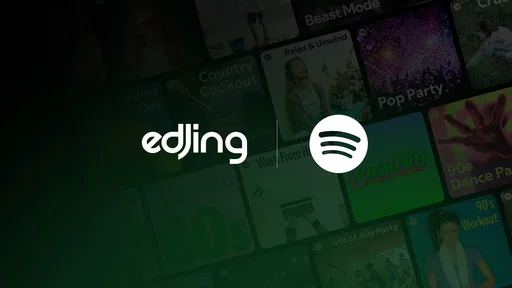
edjing Mix provides a comprehensive suite of features for both beginners and experienced DJs. It includes a wide range of effects, a sampler, a crossfader, and automatic BPM detection. The app also offers access to millions of tracks through integration with major streaming services, allowing for seamless mixing and creativity.
Is edjing Mix suitable for professional DJs, or is it more for casual use?
edjing Mix caters to both casual users and professional DJs. With its intuitive interface, beginners can easily learn the basics of DJing, while advanced features like live recording and compatibility with DJ controllers make it a powerful tool for professionals who want to perform live or create complex mixes.
Do I need an internet connection to use edjing Mix effectively?
While an internet connection enhances the app's capabilities, especially for streaming tracks, edjing Mix can still be used offline with music stored on your device. However, features like streaming from online platforms and some updates require internet access to function properly, ensuring you have the latest tools and tracks.
Are there any in-app purchases or subscriptions required for full functionality?
edjing Mix offers a free version with basic features, but to unlock its full potential, including advanced effects and controllers, a subscription or in-app purchases are necessary. This model allows users to try the app before committing, ensuring they’re satisfied with the features available before purchasing.
Can edjing Mix be used with external DJ hardware?
Yes, edjing Mix is compatible with a variety of DJ controllers, offering a more tactile experience for users who prefer physical hardware. This compatibility allows DJs to connect their devices and manipulate tracks with greater precision, enhancing the overall mixing experience and performance quality.
